Most software performs well at launch. Problems surface when the business grows: user counts climb, transaction volumes multiply and systems that once handled the load begin to slow, fail or demand expensive architectural rewrites. A software scalability strategy addresses those risks early, designing systems that support growth rather than resist it.
Software Scalability Strategy at a Glance
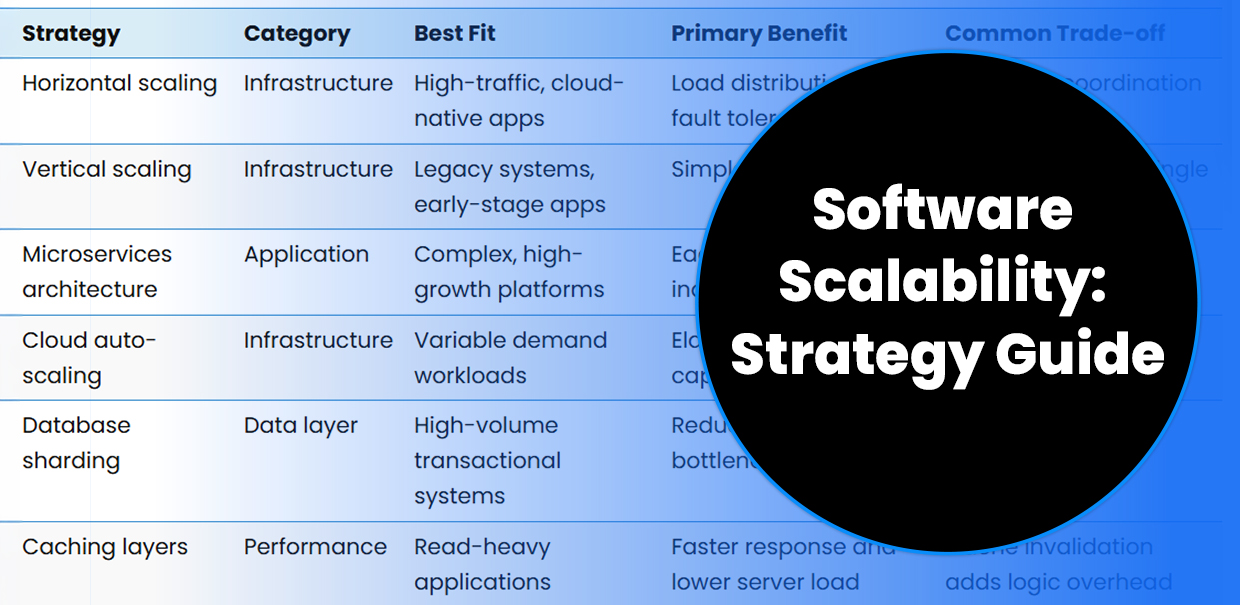
| Strategy | Category | Best Fit | Primary Benefit | Common Trade-off |
|---|---|---|---|---|
| Horizontal scaling | Infrastructure | High-traffic, cloud-native apps | Load distribution and fault tolerance | Increased coordination complexity |
| Vertical scaling | Infrastructure | Legacy systems, early-stage apps | Simpler to implement | Hardware ceiling; single point of failure |
| Microservices architecture | Application | Complex, high-growth platforms | Each service scales independently | Higher initial design overhead |
| Cloud auto-scaling | Infrastructure | Variable demand workloads | Elastic, pay-per-use capacity | Requires cloud-native design from the start |
| Database sharding | Data layer | High-volume transactional systems | Reduces read/write bottlenecks | Complexity in data distribution |
| Caching layers | Performance | Read-heavy applications | Faster response and lower server load | Cache invalidation adds logic overhead |
Horizontal vs. Vertical Scaling
The first strategic decision is how to add capacity when demand grows.
Horizontal scaling (scaling out) adds more servers or nodes to distribute load across a broader infrastructure. It suits high-traffic applications, cloud-native systems and Software as a Service (SaaS) platforms that experience unpredictable demand. Because workload is distributed across many machines, no single failure brings the system down. The trade-off is coordination complexity: distributed systems require careful management of data consistency, network latency and service discovery.
Vertical scaling (scaling up) increases resources on a single server through things like more central processing unit (CPU) capacity, additional RAM or faster storage. It is easier to implement and works well for legacy systems or applications with predictable, steady-state load. The limitation is physical: once a server’s ceiling is reached, an expensive infrastructure overhaul becomes unavoidable.
| Approach | Add servers | Upgrade existing hardware |
|---|---|---|
| Resilience | Distributed — no single point of failure | Single point of failure |
| Flexibility | High | Limited by hardware maximums |
| Cost profile | Lower unit cost, higher coordination overhead | Higher hardware cost per unit |
| Best fit | Cloud-native, SaaS, high-traffic apps | Legacy systems, stable workloads |
For teams building net-new custom software from scratch, horizontal scaling is typically the default architectural target. It allows systems to expand incrementally without forcing costly rewrites later.
Architecture Choices That Enable Scalability
Infrastructure decisions only go so far if the application itself isn’t designed to scale. Architecture is the deeper lever.
Microservices break an application into independent services, each responsible for a single function. A billing engine, authentication service and reporting module each scale separately based on actual demand, preventing the over-provisioning that monolithic designs require. Teams can also update individual components without disrupting the whole system.
Monolithic architecture bundles every function into a single deployable unit. It is faster to build initially, but as the codebase grows, scaling one component means scaling everything. The result is wasted infrastructure spend and slower release cycles — a common pain point for organizations whose systems weren’t designed with growth in mind.
Architectural patterns that support long-term scalability:
- Stateless service design so instances can be added or removed without disrupting sessions.
- Application programming interface (API)-first development, enabling clean integration points between services.
- Event-driven communication between microservices to reduce tight coupling.
- Separation of read and write operations at the database level.
- Cloud-native architecture to allow horizontal scaling of specific features without full server upgrades
Cloud Infrastructure and Elastic Growth
Cloud platforms, like AWS, Azure and Google Cloud, have made scalability more accessible by replacing fixed infrastructure with on-demand resources. Auto-scaling groups provision new instances in minutes when traffic spikes and deprovision them when demand falls, converting capital expenditure into operational costs that reflect actual usage.
Effective cloud solutions integrate these capabilities from the initial design phase rather than layering them onto existing infrastructure after the fact. Key tools include Kubernetes for container orchestration, serverless compute for event-driven workloads and managed database services with built-in replication and failover.
Other cloud capabilities that directly support scalability:
- Auto-scaling groups tied to real-time demand metrics.
- Content delivery networks (CDNs) serve static assets closer to end users.
- Multi-region deployment for geographic redundancy and lower latency.
- FinOps tooling to prevent over-provisioned resources from inflating cloud costs.
A common mistake is treating cloud migration as a standalone scalability solution. Moving an application to the cloud without redesigning for cloud-native patterns typically reproduces the same bottlenecks at a higher monthly cost.
The issue is the lone bold on “Read replicas,” with the unbolded items below it, and the intro bullet phrasing is inconsistent. Easiest fix: convert the list to a table, which reads more cleanly and actually satisfies the “tables > lists” preference in the style guide. Here’s the revised section only:
Database and Performance Patterns
Databases are among the most frequent scalability chokepoints. As transaction volumes grow, a poorly optimized data layer becomes the limiting factor, regardless of how well the rest of the system scales.
| Technique | What It Does | Best Applied When |
|---|---|---|
| Read replicas | Separates read and write operations to reduce strain on the primary database | Read-heavy workloads with high query volume |
| Sharding | Distributes large datasets across multiple database nodes | High-volume transactional systems |
| Query optimization and indexing | Reduces execution time on high-frequency queries | Any system with slow or repetitive query patterns |
| Connection pooling | Reuses existing connections to reduce overhead from frequent creation | Systems with high connection request rates |
| Asynchronous writes | Decouples heavy write operations from user-facing flows via message queues | Systems where write latency affects the user experience |
The choice between SQL, NoSQL and NewSQL also determines how a system scales under complex workloads. SQL databases provide strong consistency and are well-suited to transactional systems. NoSQL options like MongoDB or Cassandra excel at horizontal scaling for high-volume, flexible data models.
Building Scalability Requirements from Day One
Retrofitting scalability into a system not designed for it is among the most expensive projects a development team faces. It typically requires architectural rewrites, data migration and significant downtime risk, all of which are avoidable with proper upfront planning.
The starting point is defining performance requirements before design begins: peak concurrent users, expected transaction volumes, geographic distribution and data retention needs. These requirements shape architecture decisions, database selection, caching strategy and cloud configuration before a line of code is written.
Common scalability failures and how to prevent them:
| Failure | Root Cause | Prevention |
|---|---|---|
| Database bottlenecks | No read/write separation; poor indexing | Sharding, read replicas, query tuning |
| Single points of failure | Tightly coupled monolithic design | Microservices, load balancers, auto-scaling |
| Runaway cloud costs | Over-provisioned resources | Right-sizing, auto-scaling policies, FinOps |
| Slow deployments at scale | No continuous integration/continuous deployment (CI/CD) pipeline | Automated DevOps tooling |
For organizations in the middle of a broader Digital Transformation, scalability planning is especially important. Systems that can’t grow with the business quickly undermine the value of transformation efforts.
Improve Software Scalability Strategy with 7T
A software scalability strategy is a set of interconnected decisions across architecture, infrastructure and data design. Each choice either extends a system’s useful life or limits it. Organizations that define scalability requirements before development begins are far better positioned to grow without disruption or expensive rebuilds.
At 7T, we’re guided by a commitment to solving real business problems through technology. The 7T development team works with company leaders seeking to drive ROI through Digital Transformation and innovative technologies like AI.
7T has offices in Dallas and Houston, but our clientele spans the globe. If you’re ready to discuss your next software project, contact 7T today.