AI-assisted software development life cycles can vary considerably, and a collaborative dev process like this is dependent on the skill of both the staff involved and the model they have assisting them. The real question isn’t whether AI can write code, but rather where AI can remove monotonous, low-skill work without compromising important product decisions, security or quality.
AI should support a business case, but it is vital that it does not become the business case. More plainly, AI deployment for the sake of it (or in the name of “being ahead of the curve”) fails to give these tools the necessary direction to actually add value to your workflows.
This guide shows how to use AI to aid in software development, from defining requirements all the way through production and deployment, and where experienced engineers must remain diligent to ensure the desired outcome.
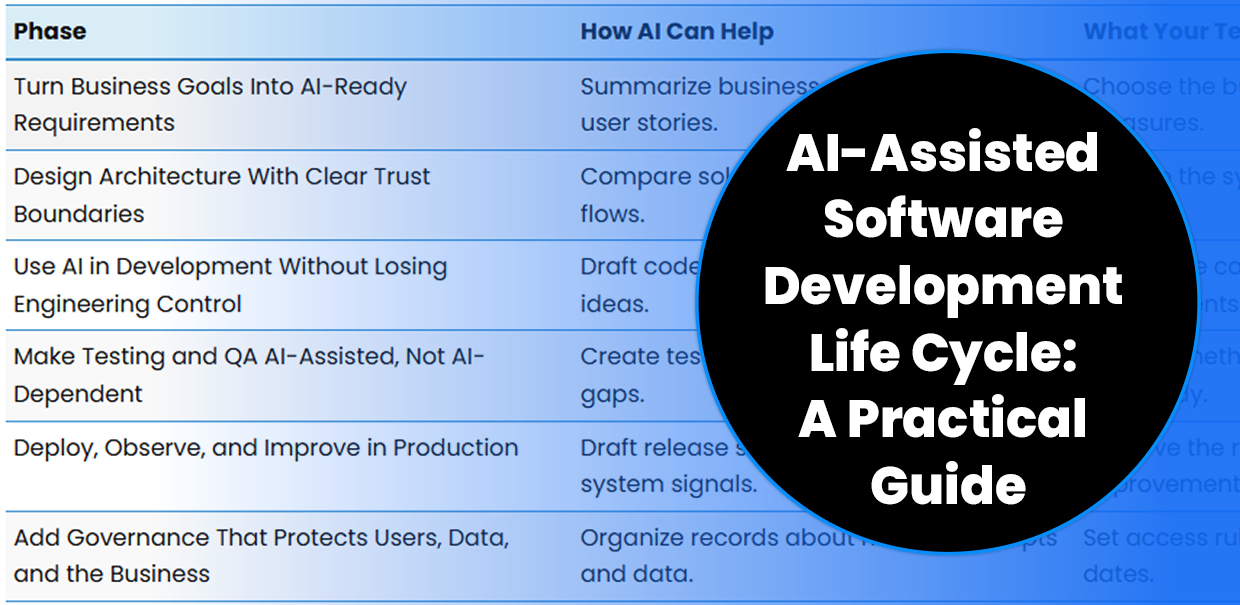
AI-Assisted Software Development Life Cycle Overview
| Phase | How AI Can Help | What Your Team Still Decides |
|---|---|---|
| Turn Business Goals Into AI-Ready Requirements | Summarize business needs and draft user stories. | Choose the business goal, scope and success measures. |
| Design Architecture With Clear Trust Boundaries | Compare solution options and map data flows. | Choose the system design, vendors and data rules. |
| Use AI in Development Without Losing Engineering Control | Draft code, documentation and test ideas. | Review the code and confirm that it meets the requirements. |
| Make Testing and QA AI-Assisted, Not AI-Dependent | Create test cases and identify possible gaps. | Decide whether the software is accurate, secure and ready. |
| Deploy, Observe, and Improve in Production | Draft release steps and help track system signals. | Approve the release, rollback plan and improvement priorities. |
| Add Governance That Protects Users, Data, and the Business | Organize records about models, prompts and data. | Set access rules, human review and review dates. |
Step 1: Turn Business Goals Into AI-Ready Requirements
Start with the process that must improve, not the model you want to use. A useful requirement connects a business problem to an outcome, a user, a workflow and a clear metric by which to measure success.
AI can organize interviews, group similar requests, identify missing cases and turn plain-language needs into draft user stories. It should not decide which process deserves investment or make promises about compliance.
A strong requirements package also defines what happens when AI is wrong. Include escalation paths, manual overrides, review roles and a rule for stopping automatic actions.
Step 2: Design Architecture With Clear Trust Boundaries
Once the requirements are stable, decide where AI belongs in the system. It may support search, classification, forecasting, process automation, content generation or developer productivity. Each use case has a different risk level.
For an AI-enabled product, document the flow of prompts, retrieved data, model calls, tool calls, outputs and human approvals. NIST’s AI-focused Secure Software Development Framework (SSDF) profile adds practices and guidance for AI model development across the software development life cycle.
Use this architecture review checklist:
- Define which data the model may access.
- Separate trusted instructions from user-controlled content.
- Check model output before it reaches a database, API, browser or business process.
- Set timeout, fallback and human-escalation paths.
- Record model, prompt, data and setup versions.
These controls address risks named in the Open Web Application Security Project (OWASP) Top 10 for Large Language Model Applications, including prompt injection and improper output handling. The OWASP guidance on improper output handling explains why model output must be checked before downstream use.
The goal is not to remove every human step. The goal is to place human judgment where an error could affect money, privacy, safety, customers or trust.
Step 3: Use AI in Development Without Losing Engineering Control
During development, AI is most useful for repeatable work that people can inspect. Examples include code scaffolding, code explanations, documentation, test stubs and suggested fixes for flagged issues.
GitHub’s documentation notes state that AI-generated code can be wrong or insecure. It recommends careful review and testing before the code is merged. Its security features present fixes as proposed changes that require developer evaluation.
The safest workflow keeps AI output small enough to inspect. Require a pull request, automated checks, qualified ownership and a written reason for accepting a key design choice.
For larger custom software projects, connect AI work to a clear delivery process. Review 7T’s custom software development services when the project requires a mix of business analysis, product design, engineering and delivery support.
Step 4: Make Testing and QA AI-Assisted, Not AI-Dependent
AI can help your team consider more test cases. Ask it to turn requirements into test steps, create boundary conditions, summarize failures, compare expected and actual behavior and find gaps in a test plan.
That support does not replace risk-based QA. Your team must still test workflows that affect revenue, customer service, data quality, access control and legal needs.
For AI features, add tests for prompt injection, private-data exposure, refusal behavior, incorrect answers and unsafe output. OWASP’s team describes prompt injection as an attack that can change model behavior. It describes improper output handling as a failure to check or clean model output before later use.
QA readiness checklist:
- Each requirement has a clear pass condition.
- Normal, boundary, failure and abuse cases are covered.
- AI output is checked before later actions.
- Human escalation works when confidence is low.
- Security, speed, access and connection checks are complete.
- A rollback or manual work path has been tested.
Treat test results as decision evidence. Do not treat them as a score that AI can read without context.
Step 5: Deploy, Observe and Improve in Production
Deployment is part of the AI-assisted software development life cycle. It is not the finish line. A release should move through controlled environments, with checks that resemble live use.
Google Cloud’s processes describe continuous delivery for generative AI applications as moving built and tested code through environments that closely resemble production. Its guidance also points to connection, load, permission, system and dependency checks as part of delivery.
After launch, track both software behavior and business results. A healthy service can still fail if it produces poor recommendations, adds manual work or does not improve the process it was meant to change.
| Control Point | Before Release | After Release |
|---|---|---|
| Quality | Run function and connection tests | Track defects and user feedback |
| Speed | Test delay, volume and linked systems | Watch service levels and bottlenecks |
| Security | Review access, secrets and model limits | Review incidents and new attack paths |
| AI behavior | Test normal, edge and abuse cases | Sample outputs and check for drift |
| Business result | Confirm the target KPI and baseline | Compare results with the business case |
| Recovery | Test rollback and manual procedures | Practice issue response and fixes |
Table sources: Google Cloud, “Deploy and operate generative AI applications,” and NIST SSDF.
Create a feedback loop from production back to requirements. A new failure may reveal a missing rule, weak data, an unclear user story or a process that needs redesign.
Step 6: Add Governance That Protects Users, Data and the Business
Governance should be practical enough to use during delivery. It should answer who can approve a model, which data may enter a tool, how outputs are reviewed, how issues are reported and when a feature must pause.
A workable policy can start with these items:
- Approved tools and model providers.
- Data rules and prohibited inputs.
- Required human review by risk level.
- Code, prompt, model and data versioning.
- Security, privacy and ownership checks.
- Monitoring, issue response and rollback ownership.
- Review dates for models, prompts, vendors and processes.
NIST’s SSDF guidance is designed to add secure practices to existing development processes. It does not require one tool or delivery method.
7T’s team positions its AI development services around enterprise software, mobile apps, process automation and cloud solutions. The useful question for a buyer is not, “Where can we add AI?” It is, “Which business process should change, and what controls will make that change dependable?”
Build an AI-Assisted Software Development Life Cycle (SDLC) Around Accountability
At 7T, we’re guided by Business First, Technology Follows. As such, the 7T development team works with company leaders who are seeking to solve operational challenges and drive ROI through Digital Transformation and innovative technologies like AI.
7T has offices in Dallas and Houston, but our clientele spans the globe. If you’re ready to discuss your AI-assisted software development life cycle or Digital Transformation project, contact 7T today.